10 Best Laser Engraving Machines for Business?
Choosing the best laser engraving machine for business involves more than comparing wattage, price, and advertised speed. A workshop may need a compact diode laser for personalized wood products, while a production studio may require a CO2 or fiber machine. Materials, ventilation, software support, maintenance, and repeatability can quickly change the buying decision.
Russ Sadler, a respected laser educator and long-time machine user, has said, “The laser is only as good as the settings, material, and operator behind it.” That practical warning matters. A powerful machine cannot fix poor focus, incorrect air assistance, weak extraction, or inconsistent material. Small details leave visible marks: darkened plywood edges, uneven acrylic cuts, or metal designs that fade after handling.
This guide examines 10 best laser engraving machines for business use across different budgets and production goals. Each option is considered through working area, laser type, cutting depth, engraving accuracy, safety features, software compatibility, and ongoing costs. Real business needs come first. A machine that performs beautifully on leather may struggle with thick hardwood. A fast engraver may still disappoint when orders become complex.
No choice is perfect. Some machines require more setup than expected, and advertised performance may reflect ideal conditions. That deserves honest attention. Before investing, business owners should test representative materials, calculate operating costs, and confirm local safety requirements. The best laser engraving machine is not always the most expensive model; it is the one that reliably supports your products, workflow, and customers.
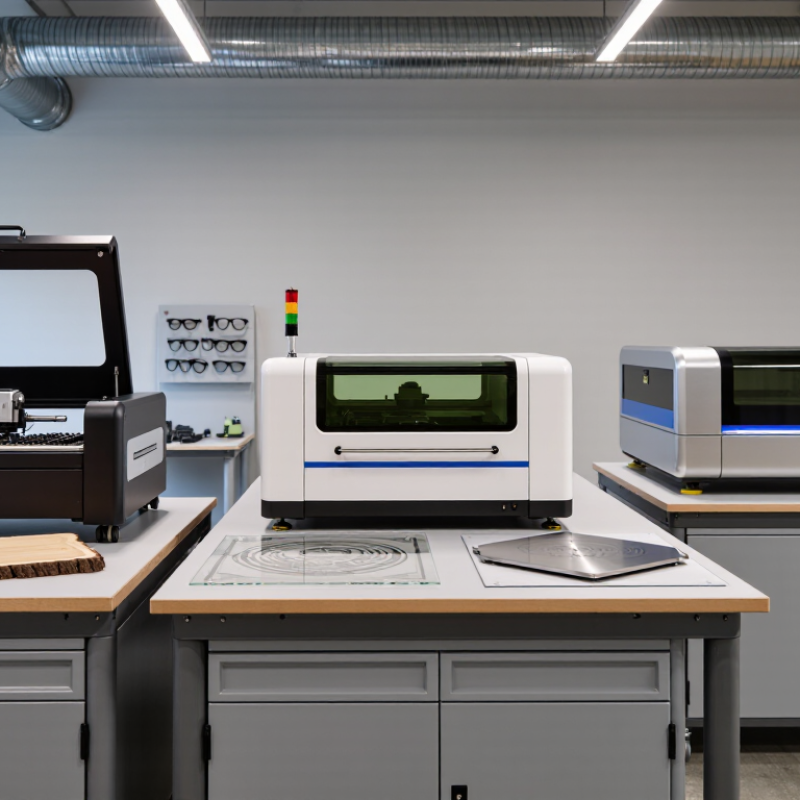
What Makes a Laser Engraving Machine Suitable for Business Use
A laser engraving machine becomes suitable for business when it delivers repeatable results, not just impressive sample images. In daily production, check whether the machine can engrave the same logo on fifty wooden boxes without visible shifts. Accurate positioning, stable power, and reliable motion systems matter more than attractive marketing claims. A clear work area also helps operators place materials quickly and reduce mistakes.
Material compatibility is another practical concern. A business may handle wood, acrylic, coated metal, leather, or glass, but one machine may not perform equally well on all surfaces. Test real materials before purchasing. Watch the edges, engraving depth, smoke marks, and cleaning time. I have found that a slightly slower machine can be more profitable when it produces fewer rejected items. Speed alone can mislead.
Safety and workflow should receive equal attention. Look for a protective enclosure, effective ventilation, emergency controls, and simple maintenance access. Reliable software, adjustable settings, and accurate focusing can shorten training for new staff. Technical support and available replacement parts also protect production during busy periods. The cheapest option is rarely the cheapest long term. No machine is perfect. Even experienced operators sometimes need to adjust power, speed, and focus after material changes. That ongoing learning is part of responsible business use.
What Makes a Laser Engraving Machine Suitable for Business Use?
This planning benchmark compares common laser machine categories across the factors that usually matter most in business: production throughput, material versatility, working area, safety, and repeatability. Scores are normalized from 1 to 10 and are intended for category-level comparison rather than manufacturer evaluation.
Higher scores indicate stronger suitability for regular commercial workloads. Actual performance depends on laser power, optics, materials, workflow, ventilation, operator skill, and local safety requirements.
Key Features to Compare Before Choosing a Laser Engraver
When comparing the 10 best laser engraving machines for business, look beyond advertised wattage. Published estimates vary, but Fortune Business Insights valued the global laser marking machine market at about $3.1 billion in 2023. Its 2024 report expects continued growth through 2032. That growth does not guarantee profit for every workshop. Output consistency matters more.
Start with the work area, laser source, and material compatibility. A larger bed can reduce repositioning time for signage or batches. Autofocus helps maintain clean edges on uneven surfaces. A rotary attachment supports cylindrical products, but confirm its diameter range before purchasing. Speed claims can be misleading. Ask for measured production samples, not only maximum settings. Repeatability, cooling design, lens availability, and exhaust performance deserve equal attention. Small details hurt.
Software is another business decision. Check file compatibility, device control, job preview, and recovery after power loss. A machine with simple controls may outperform a faster model that requires constant adjustment. Enclosed designs, interlocks, ventilation, and documented safety testing should be verified against local requirements. The International Organization for Standardization’s ISO 11553-1 provides a useful reference for laser-processing safety. MarketsandMarkets has reported strong expansion in laser processing, with automation identified as a major growth factor. Still, reports combine many industrial applications, so applying their numbers directly to a small studio would be careless. Calculate real throughput using setup time, failed pieces, maintenance, and operator training. A spreadsheet may reveal an uncomfortable answer.
The 10 Best Laser Engraving Machines for Business Applications
The 10 Best Laser Engraving Machines for Business Applications should match your materials, production volume, and available workspace. The “best” machine is rarely universal. A compact diode engraver suits wood signs, coated metals, and small gifts. An enclosed CO2 machine handles acrylic, plywood, leather, and packaging materials more efficiently. Fiber systems are stronger choices for permanent metal marking, especially on tools, plates, and serialized components.
A practical business evaluation should measure cutting speed, engraving consistency, software control, and maintenance access. Run the same design across ten samples. Check line sharpness, edge charring, alignment, and repeatability. Tiny differences become expensive during large orders. An enclosed frame, lid interlock, extraction port, and emergency stop are essential features. Good ventilation matters too, even when the material appears harmless.
Budget beyond the purchase price. Include lenses, filters, extraction equipment, replacement parts, training, and downtime. A machine with strong technical support may outperform a cheaper model that lacks documentation. I would also inspect the workbed carefully. Uneven surfaces can ruin larger panels. No machine is perfect. Some affordable systems save money initially but require constant calibration. Others offer impressive speed yet waste material during setup. The most reliable choice is the machine that fits your actual workflow, not the one with the longest feature list.
How to Match Each Machine to Different Business Needs
The 10 best laser engraving machines for business are not identical winners.
The right choice depends on materials, order volume, workspace, and operator skill.
A compact diode machine suits personalized wood signs, coated tumblers, and small craft batches.
It costs less, but it usually works slowly on dense materials.
A CO2 machine fits acrylic, leather, plywood, and packaging prototypes.
Its enclosed design also supports cleaner daily workflows.
For metal parts, a fiber machine offers faster marking and sharper serial numbers.
UV systems serve delicate plastics, glass, and electronics with reduced heat damage.
That advantage can matter greatly in premium product work.
According to Grand View Research, the global laser marking machine market was valued at about 3 billion dollars in 2023, with continued growth expected through 2030.
This signals expanding demand, not automatic profitability.
Before buying, measure your real queue.
A shop producing 30 nameplates weekly may not need industrial power.
A contract manufacturer marking hundreds of parts daily needs repeatable focus, extraction, and software integration.
Check bed size against your largest product.
Confirm the machine’s rated speed under your material, not only in demonstrations.
Test the edges.
Safety data deserves equal attention.
The U.S. Bureau of Labor Statistics reports that manufacturing workplaces continue to record substantial nonfatal injuries, making ventilation, guarding, training, and maintenance essential business controls.
A cheaper open-frame machine may require more supervision and occupy valuable labor time.
I would also reserve budget for lenses, filters, fixtures, and calibration.
My first calculation would be imperfect.
Actual throughput often falls after setup, cleaning, and failed trials.
Operating Costs, Safety Standards, and Maintenance Requirements
Choosing among the 10 best laser engraving machines for business requires more than comparing purchase prices. Measure real electricity use with a plug-in meter. A 1.5 kW laser and 0.5 kW extractor, running eight hours daily for 22 days, consume about 352 kWh monthly. Apply your local commercial tariff from the U.S. Energy Information Administration’s Electric Power Monthly report. Air assistance adds another cost. The U.S. Department of Energy reports that compressed-air leaks can waste 20–30% of compressor output. That percentage deserves attention.
Safety spending is not optional.
Enclosed equipment, interlocks, emergency stops, extraction, and documented training should match ISO 11553-1:2020 and ANSI Z136.1 requirements. OSHA 29 CFR 1910.212 also requires guarding against machine hazards. Materials matter. Some coatings release harmful fumes when heated, so confirm the supplier’s safety data sheet before engraving. A cheap filter may look adequate, then clog within weeks. That is a costly lesson.
Tips: Record wattage, filter changes, lens cleaning, and downtime in one maintenance log. Inspect mirrors, rails, belts, and exhaust ducts weekly. Replace damaged interlocks immediately. Keep a spare lens and approved filter available. A practical fault is often simple: poor focus, dirty optics, or weak airflow. Still, operators sometimes blame the machine too quickly. I would not trust advertised service intervals without checking dust levels, workload, and local ventilation conditions. The U.S. EIA data also changes over time, so update the cost model quarterly.