How to Choose the Best Desktop Laser Engraver for Your Needs?
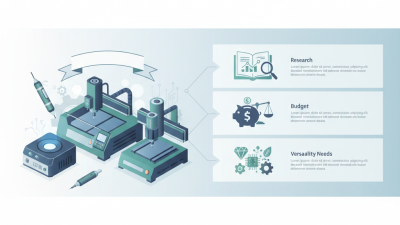
Choosing the right desktop laser engraver can feel overwhelming. With numerous options available, understanding your specific needs is crucial. This decision requires careful consideration of various factors like engraving materials, size, and power.
A desktop laser engraver may serve different purposes. From personalized gifts to professional prototypes, each project demands unique features. Some engravers excel in speed, while others focus on precision. Selecting the best one relies on knowing what you aim to achieve.
Reflect on your experience and requirements. Have you used a laser engraver before? What materials do you intend to engrave? Recognizing your goals can guide your choice. Ultimately, investing time in research leads to a more satisfying purchase.
Understanding Different Types of Desktop Laser Engravers
When exploring different types of desktop laser engravers, understanding their unique features is vital.
CO2 laser engravers are popular for their versatility. They work well with materials like
wood, acrylic, and
leather. Their cutting depth is impressive, making them suitable for
various projects. However, they may require more maintenance than other types. Users should be aware that
air-assist features can improve engraving quality, but they add complexity.
Fiber laser engravers stand out for their ability to etch metals. They produce clean, precise markings,
ideal for robust applications. However, their use is often limited to specific materials, restricting their versatility.
They tend to be more expensive, which can be a consideration for hobbyists on a budget. Additionally, they may
produce more heat, requiring users to monitor their equipment closely.
Diode laser engravers are an excellent option for beginners. They are generally more affordable
and easier to set up. However, they have lower power and slower engraving speeds.
This limitation may frustrate those with bigger projects or time constraints. Many users appreciate their
user-friendly software, but the lack of advanced features can hinder experienced engravers. Finding the
right balance between cost, material compatibility, and capabilities is essential.
Assessing Your Engraving Needs and Material Compatibility
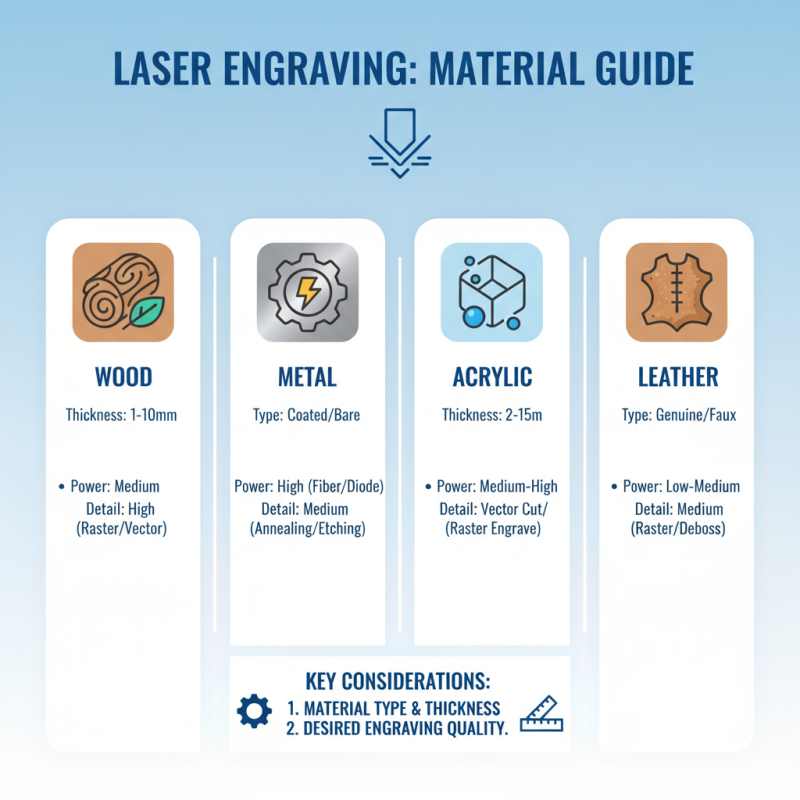
Choosing the right desktop laser engraver begins with understanding your specific engraving needs. Consider the materials you want to work with. Different engravers handle various materials differently. For instance, wood, metal, acrylic, and leather each require different power levels and settings. It's essential to know the thickness and type of materials you plan to use. This knowledge ensures you select a machine that can deliver the desired quality.
Next, think about the intricacy of your projects. If you're focused on detailed designs or small engraving jobs, precision is crucial. A laser engraver with a higher resolution may be necessary. Additionally, assess whether you need a versatile machine that can handle diverse materials. Not all engravers excel in every area. It’s worth researching capabilities and limitations, as it may save you frustration later. Remember, it's not just about specifications, but also user experiences. Engravers that function well for one user might not meet your expectations. Engaging with user reviews can provide valuable insights into real-world performance.
Evaluating Laser Power and Cut Thickness Requirements
When selecting a desktop laser engraver, understanding laser power and cut thickness is crucial. Laser power directly influences the engraving speed and its ability to cut through various materials. For instance, a 40W laser may handle wood and plastic well, but it struggles with metals. Higher wattage lasers are necessary for thicker materials.
Evaluating the thickness requirement of the materials you plan to use is equally important. Most desktop engravers can comfortably cut materials up to 1/4 inch thick. However, if you need to work with thicker substrates, consider a model designed for higher performance. Testing different settings on scrap material can reveal much about your engraver's capabilities.
It's essential to reflect on your specific needs. A powerful machine might not always be necessary. Existing projects or potential future ones can guide you. Perhaps you find precision more critical than power for intricate designs. Noting down your requirements can refine your search, ensuring you choose the right tool for your creative projects.
Comparing Features, Software, and User Interfaces
When selecting a desktop laser engraver, the features it offers play a crucial role. Consider the engraving speed and precision, as these factors heavily impact the final output. Look for models with adjustable power settings for different materials. This allows for versatility, which is essential for various projects.
Software compatibility is another critical element. Many engravers come with proprietary software, which may not be easy to use. Investigate user reviews to understand how intuitive these interfaces are. A user-friendly design can save you time and frustration.
Tips: Test the software before committing to the machine. A trial version often reveals its strengths and weaknesses. Also, check community forums for advice on navigation and workflows. Engaging with other users can uncover hidden features and insights. Keep in mind that the most expensive option isn't always the best fit. Evaluate your specific needs carefully to avoid overspending unnecessarily.
Comparing Features of Desktop Laser Engravers
Considering Budget and Maintenance Costs for Long-Term Use
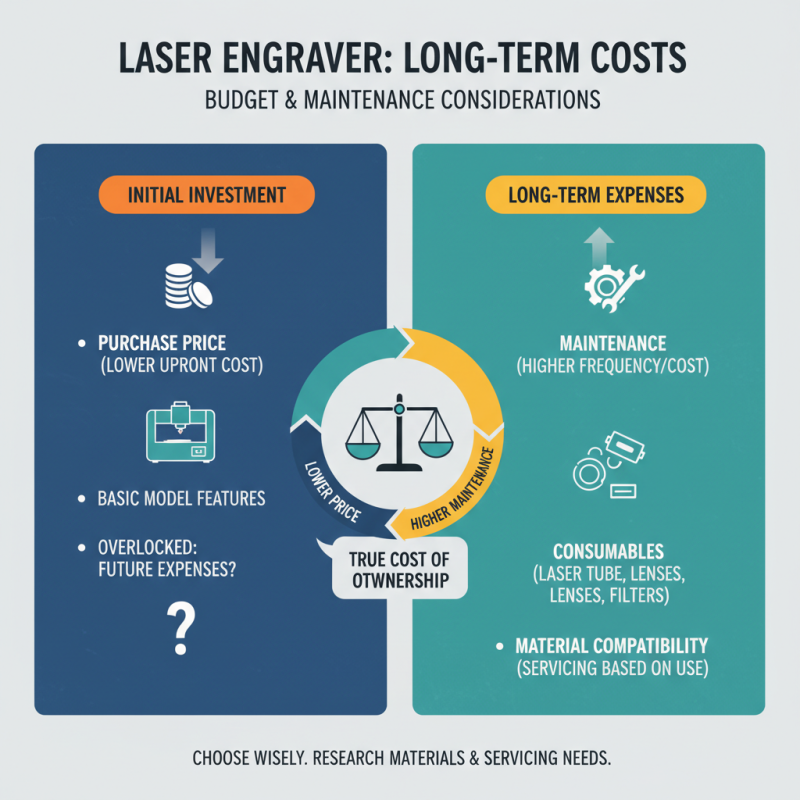
When selecting a desktop laser engraver, understanding budget and maintenance costs is essential. Many users overlook the long-term implications of their initial investment. A lower upfront cost may seem appealing, but this can lead to higher maintenance expenses later. It's vital to assess what materials you'll work with, as some machines require more frequent servicing based on usage.
Consider the price of replacement parts and whether you can perform basic repairs yourself. This knowledge can save significant money. Some engravers have expensive consumables, which add to the total cost. Think critically about the types of projects you'll take on. If you expect heavy use, investing in a robust machine might pay off in the long run, despite the initial expense.
Reflect on the experiences of others, as online reviews often highlight maintenance challenges. Issues like lens cleaning or software updates can deter productivity. Choosing a machine with a user-friendly interface may lead to fewer headaches and downtime. This factor can be a game-changer for your workflow. Balancing your immediate budget with future costs requires careful thought and analysis.